Introducing Post-Purchase Survey Attribution with Fairing

by
Daniel Oh
If you have a post-purchase survey implemented as part of your checkout process, it can be a gold mine of attribution signals that can help you triangulate the channels that drive the most customer acquisition and growth.
With our integration with Fairing, you can bring post-purchase survey (PPS) data directly into your WorkMagic attribution models, including our incrementality-based iDDA model. Our platform can then consider PPS signals as part of your overall measurement approach.
How would I use post-purchase survey data to improve measurement?
For starters, our DDA models have another strong signal that can determine the true driver of the customer's purchase. Post-purchase surveys are great tools for cutting through the noise and reinforcing the marketing interactions that drove the customer to buy, straight from the customer's mouse-click.
Post-purchase surveys are also a great anchor to attribute customer activity to channels with less reliable tracking. Channels like podcasts, out-of-home placements, traditional print media, or even influencers don't have the same digital breadcrumbs that measurement platforms can ingest to determine their impact. A PPS response is a great way to validate these investments.
We invest in traditionally non-attributable channels like podcasts or field marketing, and are often left in the dark about the halo effect of those channels. Thanks to WorkMagic, we can now incorporate post-purchase data, powered by Fairing, directly in-platform to enhance our measurement models and gain deeper, holistic insights into the channels that truly drive performance.
— Oula Ghanem, Director of Growth, David Protein
Getting set up
You can set up your Fairing integration with just a few clicks. All you need is your Fairing secret token to complete the connection:
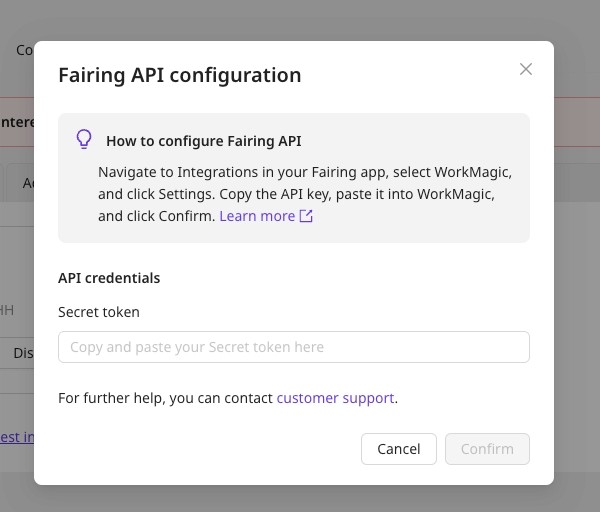
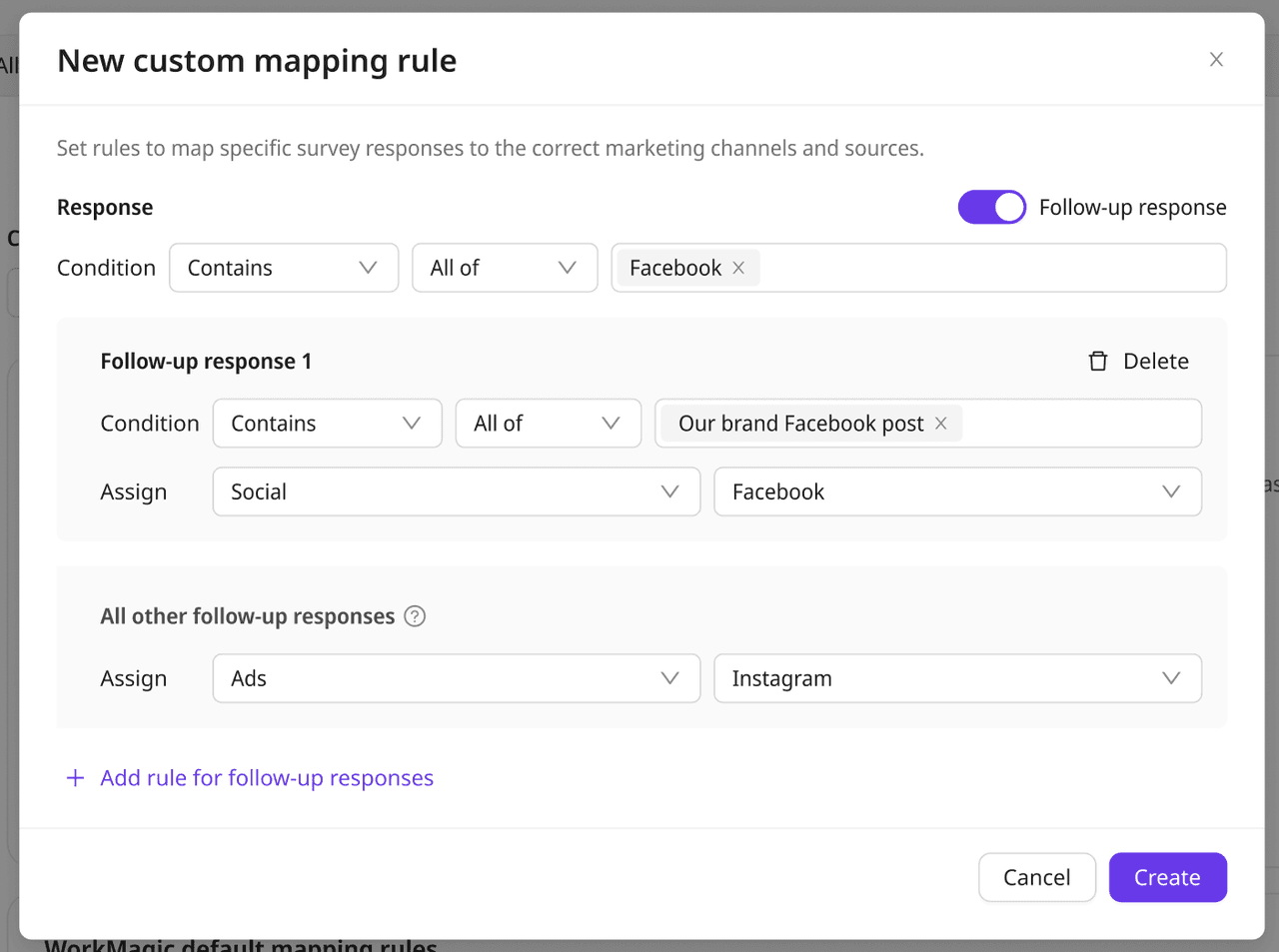
After your Fairing account is connected, you'll determine how your PPS responses assign credit to channels. If you have a simple survey structure and want to save time, we have default mapping where we use phrase matching in the response to assign channel credit (e.g. If the response contains "Meta", we credit the response to Meta).
If you have a more sophisticated survey structure or if you require follow-up responses, you'll probably want to set your own mapping rules. Setting up your own rules requires a bit more explanation, so we recommend checking out our help documentation or reaching out to your CSM for more details.
How will my PPS data show up?
Once you're all set up, then the PPS attribution starts going to work. PPS responses get factored into our attribution models alongside clicks and impressions, and is usually assigned as the last touchpoint before purchase. If you click into a customer's journey that includes a PPS response, you'll see where we place the PPS touchpoint and how it will inform all the attribution models we support.
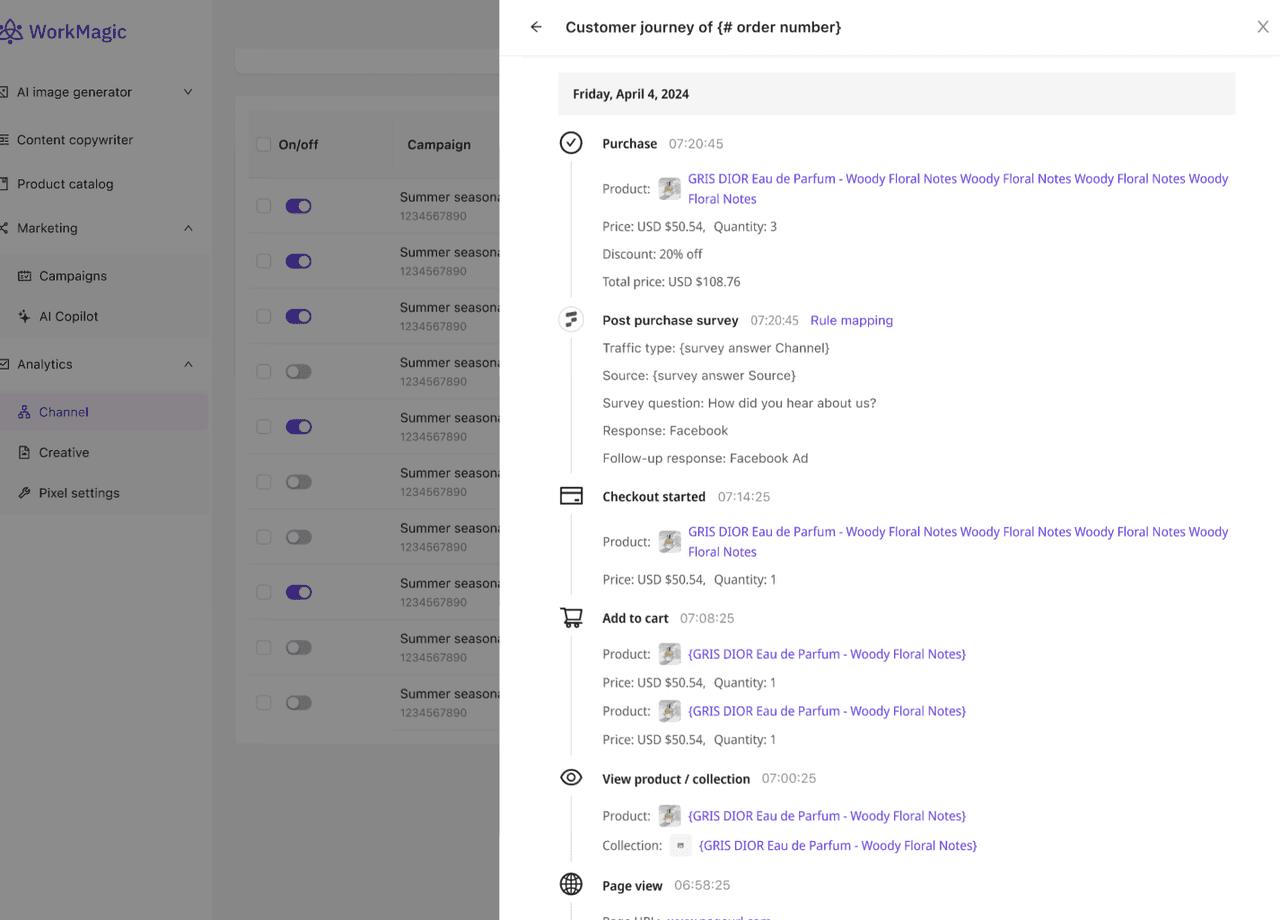
So if you're viewing from a last-click attribution model, the PPS response will likely determine which channel gets the credit. If it's from a first-click attribution model, the PPS response would have no bearing on the credit. If it's a DDA model, the PPS response will be considered as a strong signal to determine which channels get the credit.
If the responses don't map to a specific channel, or if the order isn't matched to any ad campaign, we’ll default the attribution to PPS specific channel that will show up as "3rd Party - PPS".
This is great, but what's next?
We know how important PPS data is to a lot of our customers, especially for those who rely on non-traditional channels to spread awareness and acquire new customers. In the future, we'll even allow our customers to create a PPS-only attribution model, which can provide another view to compare measurement results and find untapped insights. Also, you can compare PPS-only and other attribution views without having to switch tabs or blend the data yourself.
For now, if you want to start informing your attribution models with your post-purchase surveys, turn on the Fairing integration in your dashboard and map your first survey response in under 5 minutes. Or, if you don't have a WorkMagic account, book a demo with us and we'd love to talk post-purchase surveys, attribution, or anything measurement related with you.